



If you’re looking for an Ashby alternative, you’re likely running into limitations as your hiring process grows.
Ashby works well for smaller, fast-moving teams. But as hiring becomes more complex, issues around approvals, complex reporting, and workflow flexibility start to show up.
This guide breaks down the best Ashby alternatives based on real use cases, so you can choose a tool that fits how your team actually hires.
Why teams switch from Ashby (based on real user feedback)
Ashby is often a strong starting point for growing teams. It combines ATS and CRM capabilities and works well when hiring processes are relatively simple.
However, as teams scale or hiring becomes more complex, several limitations start to surface. These are not theoretical gaps — they show up consistently in user reviews, competitor analyses, and buyer discussions.
Here are the most common reasons teams start evaluating alternatives.
1. Approval workflows become difficult to manage
As more stakeholders get involved in hiring, approval processes need to become more flexible.
With Ashby, teams have reported limitations in how approvals are structured. In particular, workflows can become restrictive when multiple stakeholders (such as hiring managers, finance, and leadership) need to approve roles at different stages.
Competitor analyses also point out that Ashby’s approval structure can create bottlenecks when decisions are not centralized, slowing down requisition approvals.
This becomes a problem for teams that:
- Hire across multiple departments
- Require layered approvals
- or operate in regulated environments

2. “All-in-one” functionality doesn’t fully eliminate tool dependency
Ashby is positioned as an all-in-one platform, but in practice, many teams still rely on additional tools.
Common gaps reported by users include:
- Needing separate tools for scheduling at scale
- Relying on external tools for advanced reporting
- Using integrations for workflows that are not fully supported natively
Some competitor breakdowns highlight that Ashby’s reliance on integrations (including middleware tools like Zapier) can introduce additional cost and operational complexity over time.
As a result, teams often continue managing multiple tools instead of consolidating their stack.
3. Missing built-in capabilities for modern recruiting workflows
As hiring teams mature, expectations from an ATS change.
Teams increasingly expect built-in support for:
- Automated interview scheduling
- Advanced analytics and reporting
- Interview intelligence and structured feedback
- Scalable sourcing workflows
Ashby supports parts of this, but not always at the depth required by larger or more complex teams.
This leads to additional tool adoption, which increases operational overhead.
4. Overwhelming UI and steep learning curve
Ashby is known for its flexibility and depth, especially when it comes to reporting and customization. However, that same depth often makes the platform harder to use for teams that are not highly technical.
User feedback and your original blog both point to a consistent issue: the interface can feel overwhelming, particularly for new users or teams that prefer simpler workflows.
The learning curve is most noticeable in areas like:
- Reporting and filtering, which require understanding Ashby’s logic and structure
- Navigating complex pipelines with multiple stages and configurations
- Onboarding new recruiters who need time to get comfortable with the system

While Ashby’s reporting is powerful, it can take significant effort to learn due to its complexity.
In practice, this leads to:
- Slower onboarding for new team members
- Inconsistent usage across teams
- and underutilization of advanced features
For teams that want a more intuitive, plug-and-play system, this becomes a key reason to consider alternatives.

What teams are looking for instead
When teams move away from Ashby, they are typically looking for:
- Stronger reporting that supports decision-making
- Fewer external tools and better system consolidation
- Workflows that support multiple stakeholders without delays
- Improved visibility across the hiring funnel
- Easier customizations and a more seamless tool
The tools below approach these problems differently, which is why the “best” option depends on your team’s priorities.
Quick overview of the best Ashby alternatives and their best use case
Here’s how the most commonly compared alternatives are positioned based on their strengths and typical use cases:
- Greenhouse: Best for companies that prioritize structured hiring and detailed interview workflows
- Workable: Best for small to mid-sized teams that need a fast, easy-to-use solution
- Kula: Best for teams looking for an all-in-one AI-native ATS to consolidate sourcing, applicant tracking, scheduling, analytics, interviewing, automating candidate communication, and assessments into a single easy to use system.
- BambooHR: Best for HR teams that want hiring integrated with broader employee management
- SmartRecruiters: Best for enterprises with global hiring and compliance requirements
- Lever: Best for teams that rely heavily on CRM-style recruiting and candidate relationship management
- Gem: Best for outbound sourcing and talent engagement (typically used alongside an ATS)
7 best Ashby alternatives for modern hiring teams
1. Greenhouse
Best for: Companies that require structured hiring processes, standardized interviews, and strong control over hiring workflows.
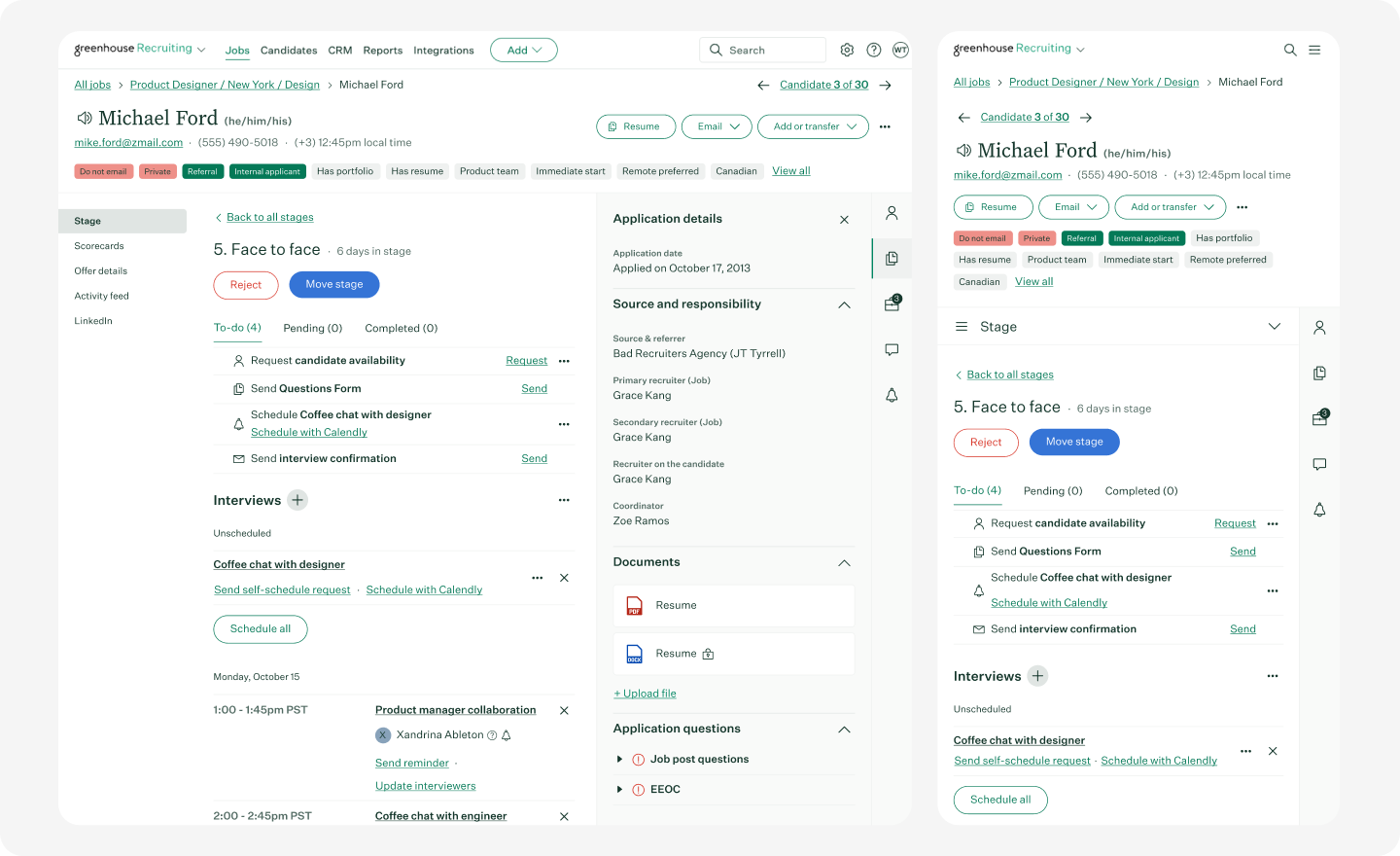
Greenhouse is a widely adopted applicant tracking system used by scaling and enterprise teams. Its core focus is structured hiring, where every candidate is evaluated using predefined stages, interview plans, and scorecards.
This approach helps organizations maintain consistency across hiring decisions, especially when multiple stakeholders are involved. It is particularly effective for companies that prioritize process standardization and compliance.
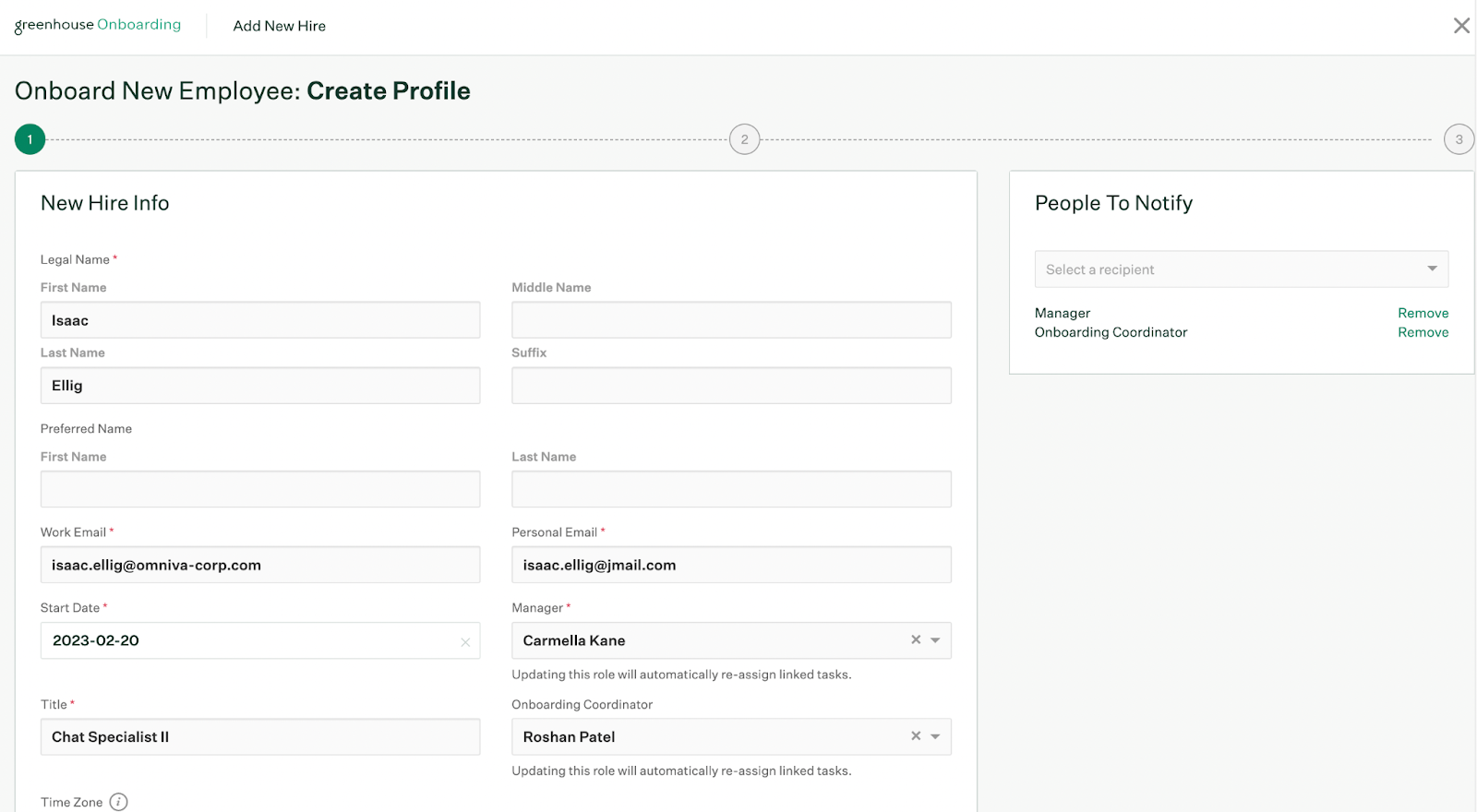
Greenhouse’s standout feature has to be their onboarding system. Once a candidate is finalized, onboarding can become messy as it usually takes place outside the ATS. With Greenhouse, you can keep track of all your new hires and automate communication with them.
Key features:
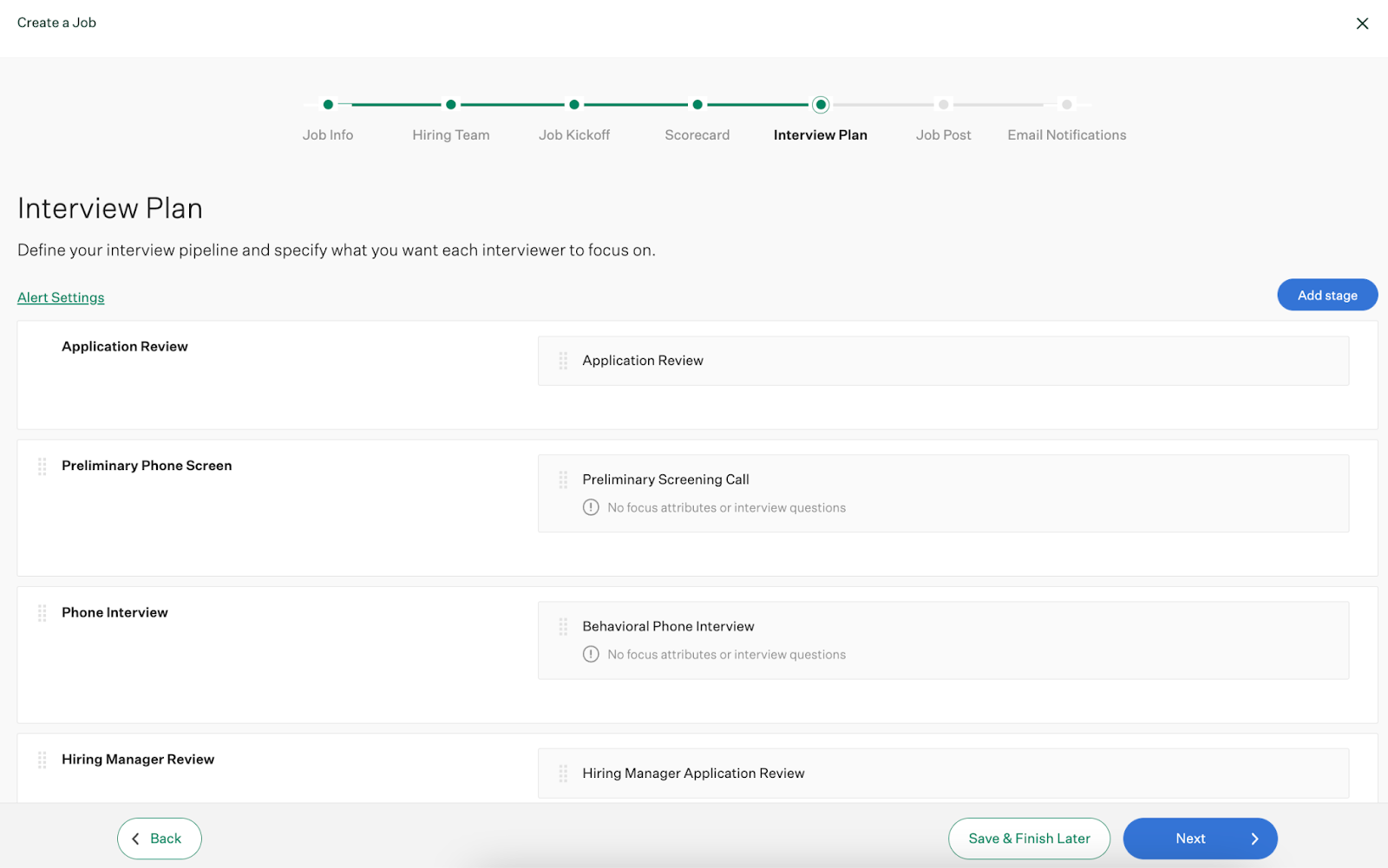
- Structured hiring workflows: Teams can define interview stages, assign interviewers, and standardize evaluation criteria for each role. This ensures consistency across all candidates and reduces subjective decision-making.
- Interview kits and scorecards: provides predefined interview questions and evaluation templates. Interviewers use structured scorecards, which improves the quality and comparability of feedback
- Built in onboarding system for new hires: Offers a resource hub for new employees, automated welcome messages and emails, and task automation for internal teams.
- Integration marketplace: integrates with a wide range of tools, including HRIS platforms, sourcing tools, and assessment providers. This allows teams to extend functionality as needed.
- AI-assisted hiring tools: Features include automated interview plan generation, resume anonymization, and interview summaries. These are designed to support efficiency but are not deeply integrated across all workflows.
Pros
- Greenhouse is scalable, particularly for larger organizations (e.g., a 2,000-person company).
- It is consistently praised for its user-friendly design
- Offers extensive integration capabilities, supporting over 500 pre-built integrations with HR, onboarding, and business tools
Cons
- Expensive pricing compared to many alternatives
- Pricing plans for small businesses lack several essential features, such as bulk actions, candidate self-scheduling, and custom reporting
Pricing:
- Available at request
Is Greenhouse the right fit for your team?
Greenhouse is well-suited for organizations that need structured, repeatable hiring processes with strong control over interviews and evaluations. However, it requires a higher budget and often depends on integrations to cover all hiring workflows.
And compared to Ashby, Greenhouse is less recruiter focused and isn’t as robust and in-depth with its data and analytics as Ashby. But Greenhouse pricing may be on the higher end compared to Ashby, so it's better suited for larger enterprises as compared to small hiring teams.
2. Workable
Best for: HR teams who want to consolidate hiring, employee data management, time tracking and payroll.
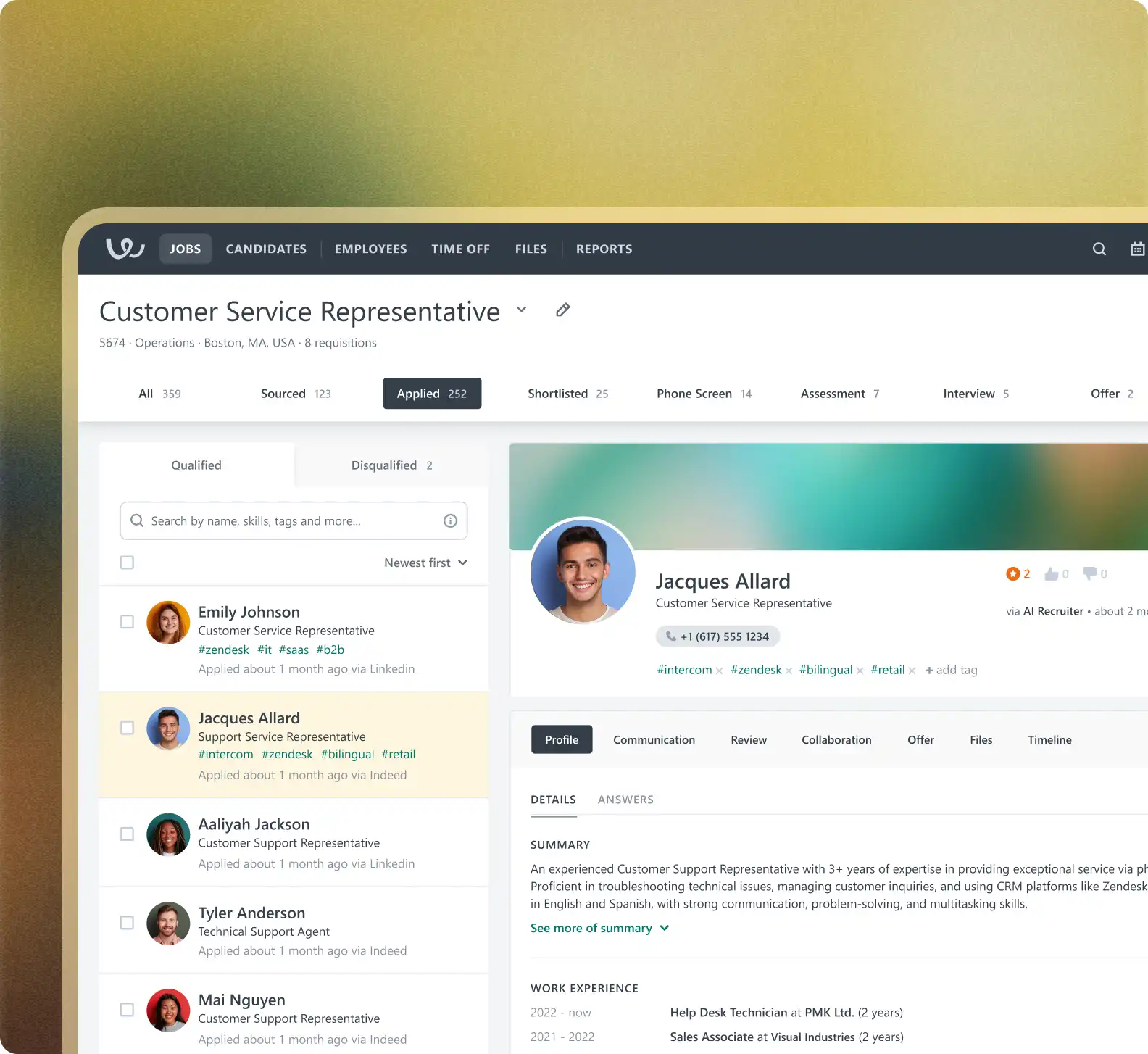
Workable is positioned as a complete recruiting and HR platform that combines applicant tracking, candidate sourcing, and core HR tools in one system.
It’s designed to help teams manage the full hiring lifecycle—from job posting and sourcing to onboarding and employee management—without relying heavily on external tools.
Workable’s biggest strength lies in sourcing and automation. It also includes built-in HR features like onboarding workflows, employee records, and time-off tracking, making it more than just an ATS.
Key features:
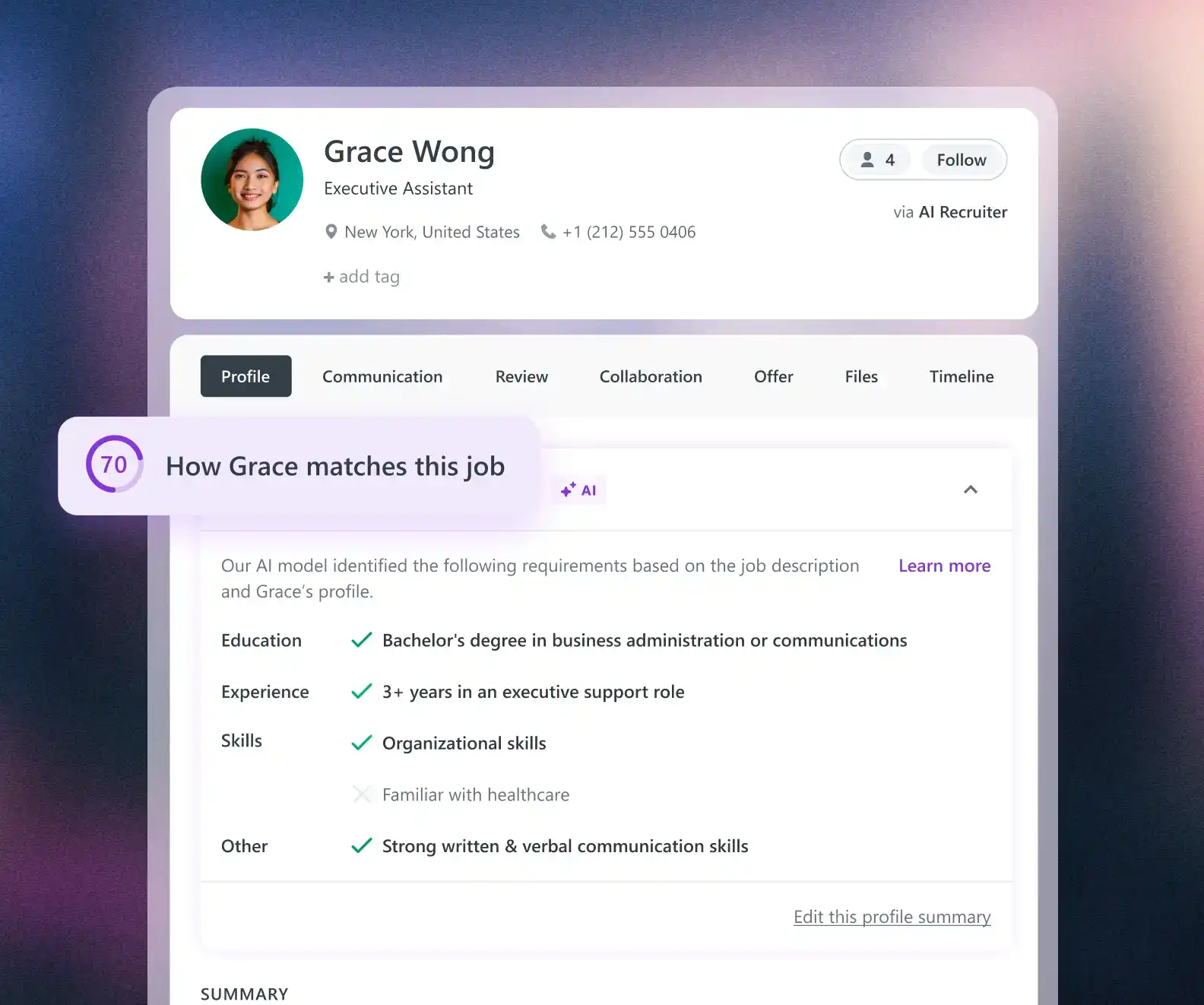
- AI-assisted screening with match scores, summaries, and resume parsing
- Structured interview kits, anonymized screening, and one-way video interviews
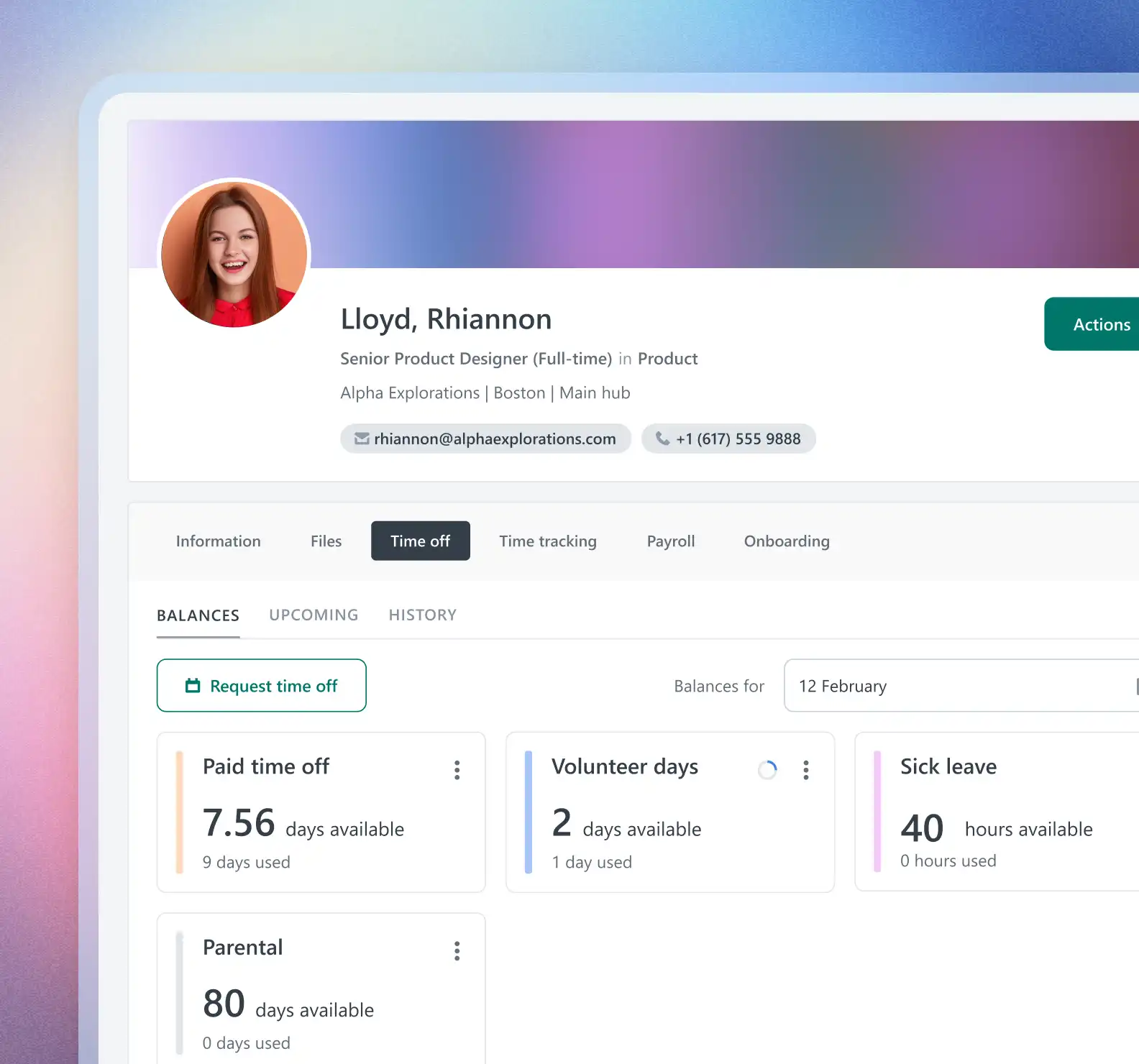
- HRIS features including employee profiles, org charts, time-off tracking, and payroll integrations
- Candidate self-scheduling with calendar sync and automated interview coordination
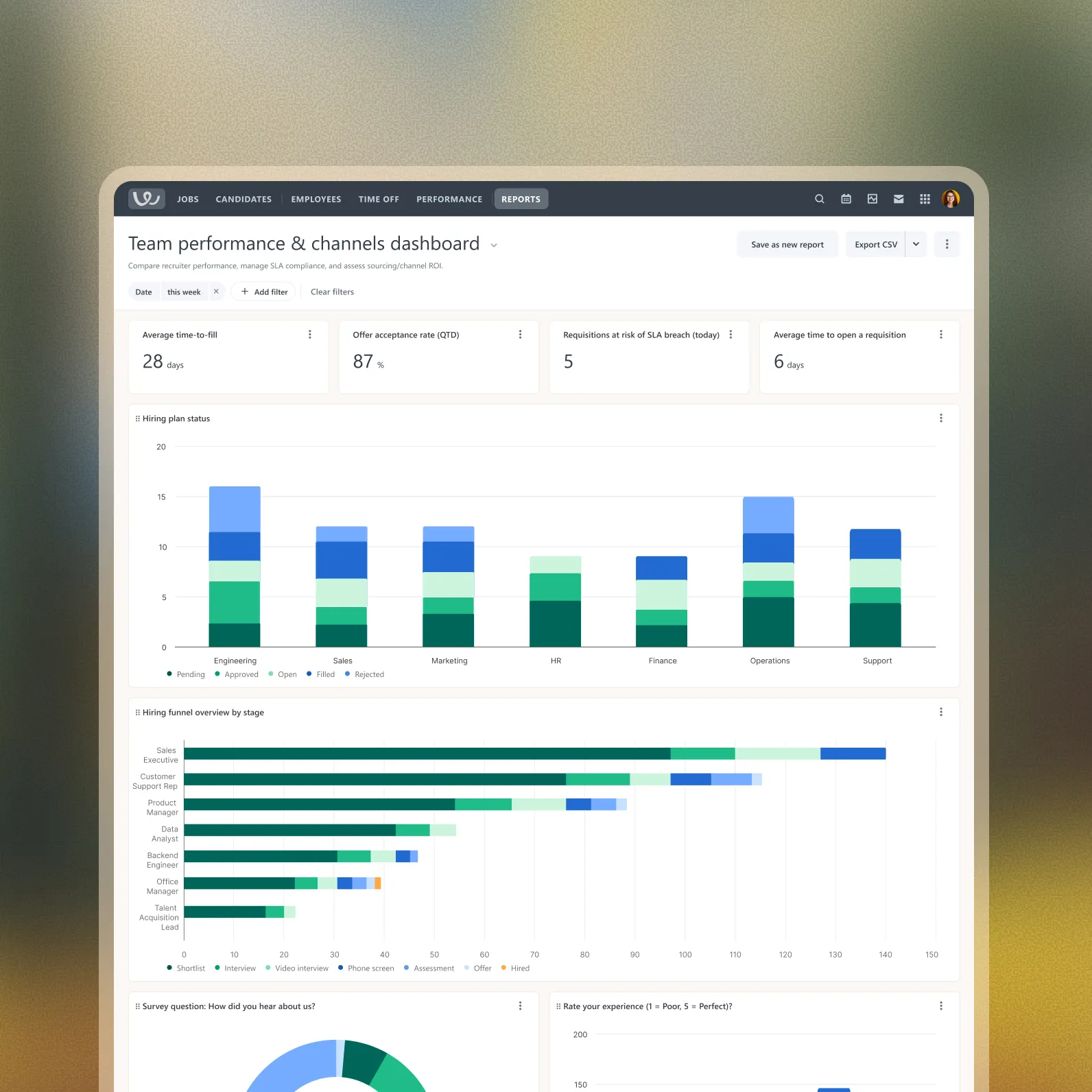
- Advanced reporting with custom dashboards and BI integrations
- Built-in onboarding portal with task tracking and document management
Pros:
- Strong built-in sourcing with access to a large candidate database
- Covers both recruiting and HR in a single platform
Cons:
- Can become expensive as you scale or add features
- Less specialized than dedicated ATS tools for complex recruiting workflows
Pricing:
- Standard: $299/month (small teams)
- Premier: $599/month
- Enterprise: $719/month
- Add-ons available for texting, video interviews, assessments, etc.
Is Workable the right fit for your team?
Compared to Ashby, Workable is easier to set up and better suited for teams that want built-in sourcing and basic HR functionality in one place. However, it lacks the depth in analytics, customization, and recruiting workflows that Ashby offers, making it less suitable for scaling or data-driven hiring teams.
Compared to Ashby, Workable does seem a lot more friendlier for smaller teams whereas Ashby seems better suited for SMBs-large enterprises. Workable’s pricing is also slightly lower than Ashby if budget is a concern. But keep in mind, add-on features like video interviews and assessments may increase costs, ultimately leading to Ashby like pricing.
👉Check out our guide to Workable alternatives here!
3. Kula
Best for: Teams that want an all in one, AI-native ATS that consolidates sourcing, applicant tracking, automated interview scheduling, interview intelligence with built-in notetaker, AI-driven analytics, and candidate communication into one system for multiple stakeholders.
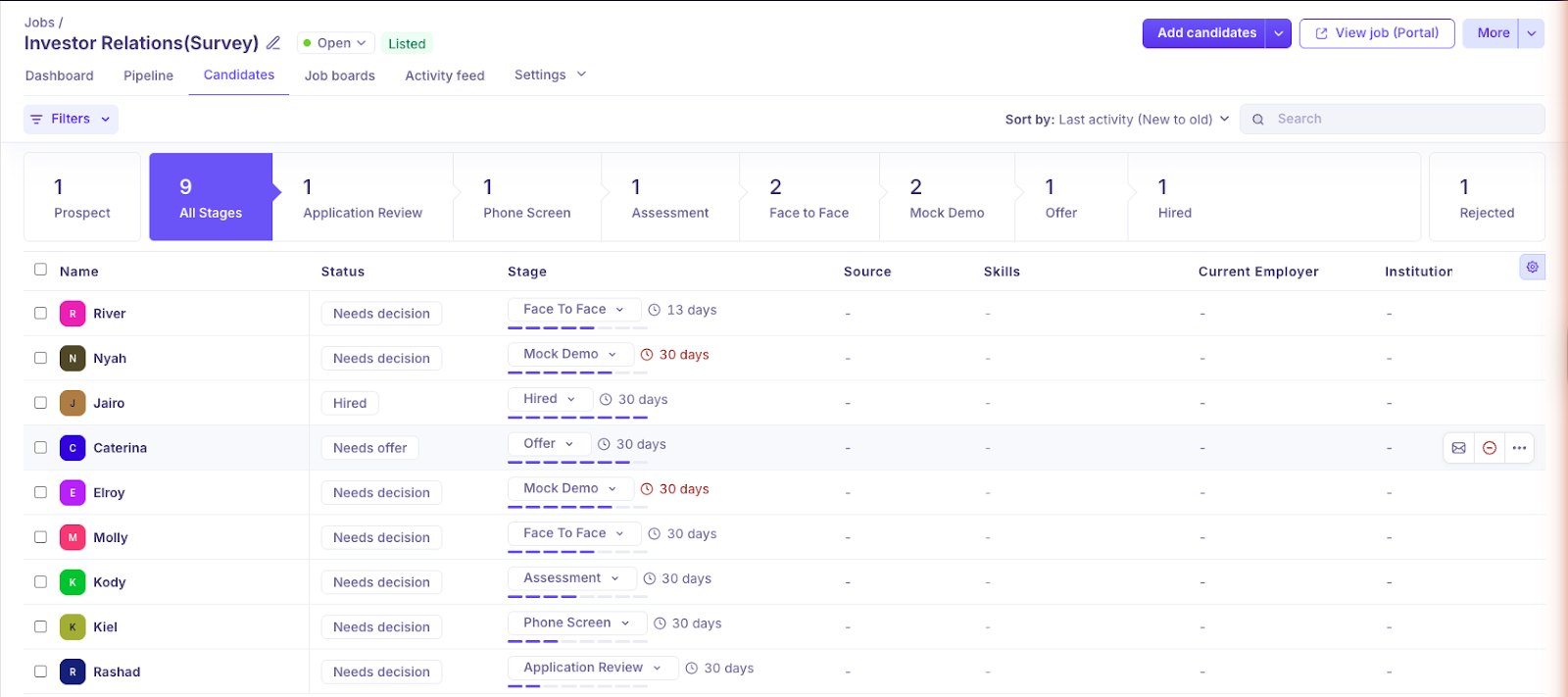
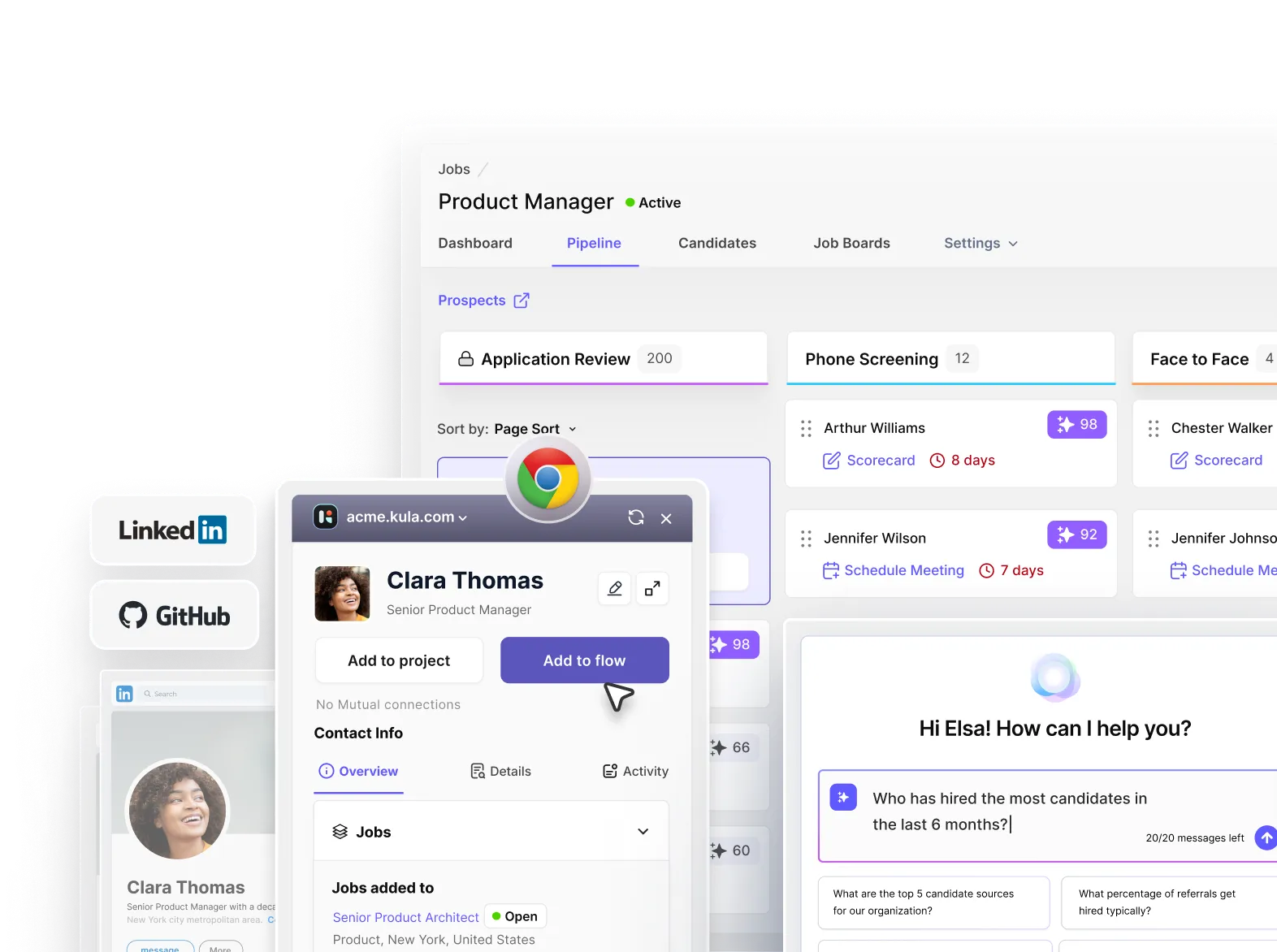
Kula is an all-in-one AI-native recruiting software designed to handle the entire hiring workflow within a single platform. Unlike most ATS platforms that rely on integrations for sourcing, scheduling, or analytics, Kula includes these capabilities natively.
The best part about Kula is that AI isn’t treated as an add-on layer or additional ATS feature. You’ll find AI built into each feature to make hiring more smarter and streamlined for your team.
The main advantage is that all data—candidate profiles, outreach activity, interview feedback, hiring metrics, and even candidate assessment and job offer roll outs—are all stored in one system.
If you’re a recruiter who wants a very straightforward platform with zero technical knowledge, I found Kula very intuitive, easy to use and requires almost no learning curve.
It’s also extremely easy to migrate to. Kula’s interface is very smooth and has no unnecessary steps that elongate the hiring process that users often report with Ashby.
Key features:
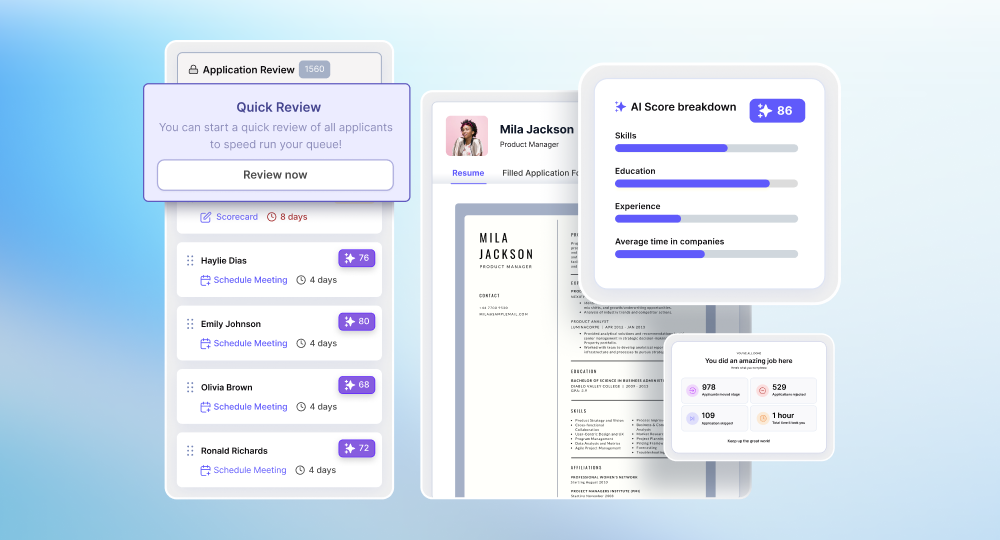
- AI scoring for candidate evaluation: Recruiters can define role-specific criteria such as skills, experience, and qualifications. The system automatically scores and ranks candidates based on these inputs, reducing manual resume screening and improving consistency.
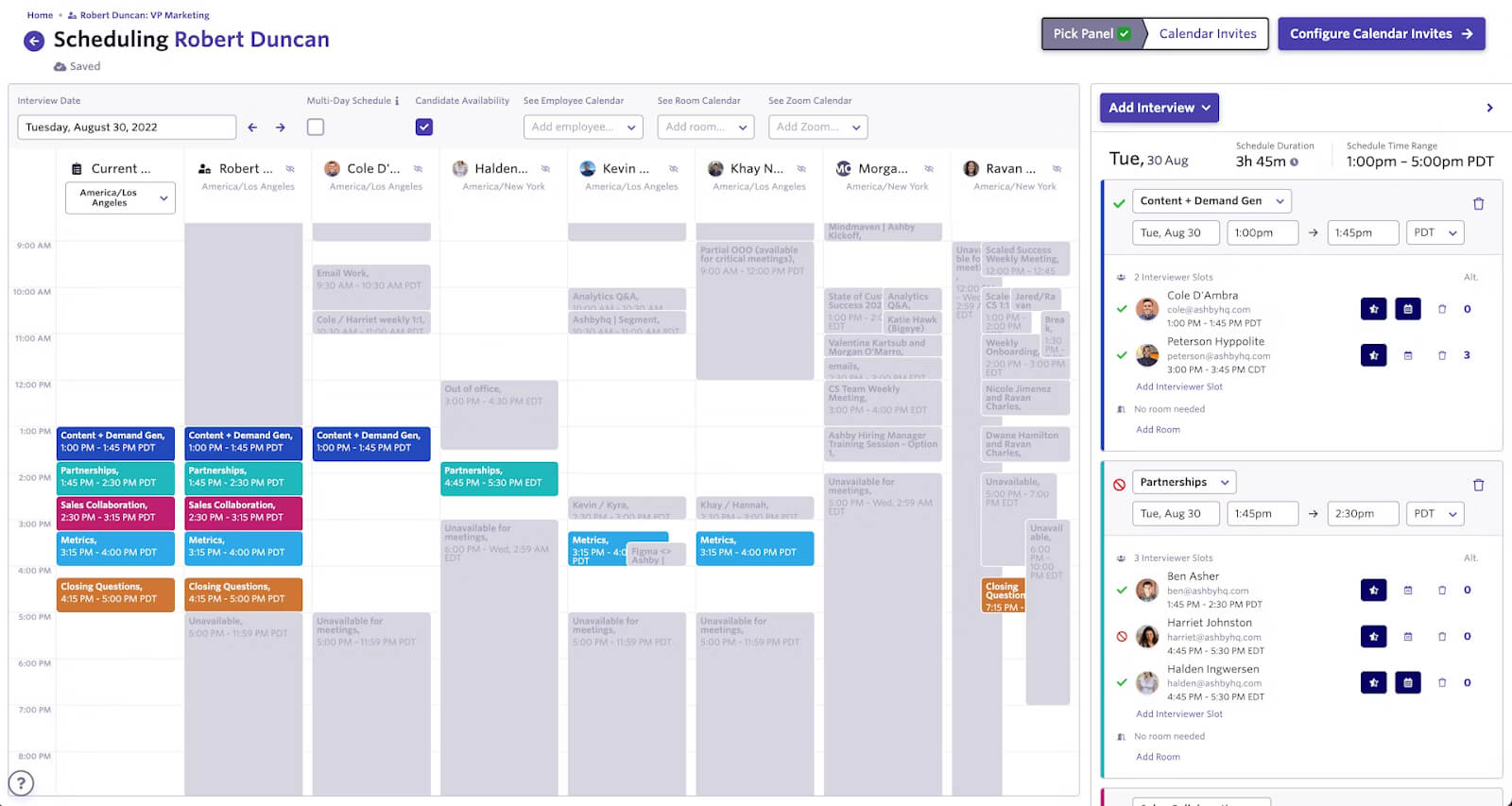
- Built-in interview scheduling: Candidates can self-schedule interviews based on interviewer availability. The system accounts for interviewer workloads and prevents conflicts, which reduces coordination effort and scheduling delays.
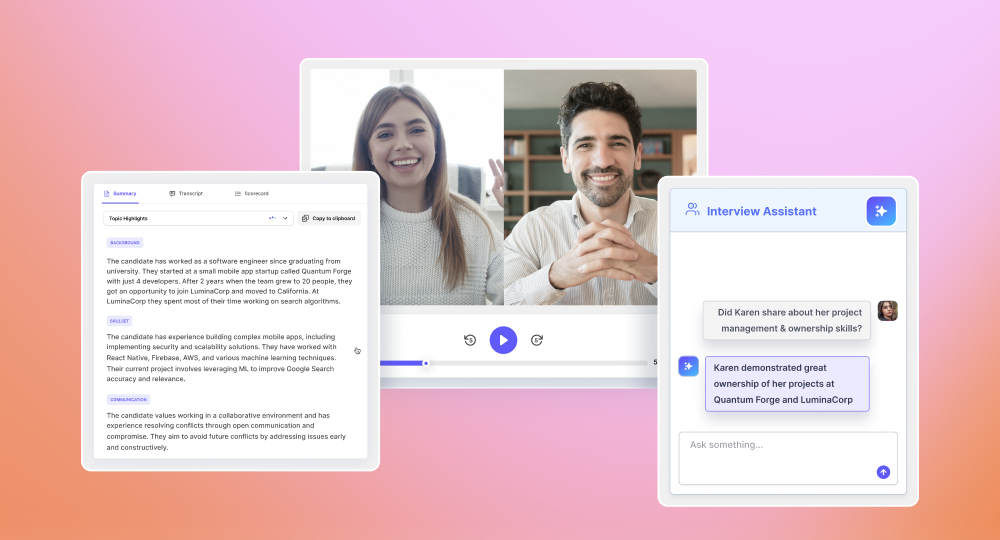
- Interview intelligence and structured feedback: Interviews are recorded, transcribed, and summarized. Scorecards can be auto-filled based on the conversation, helping teams standardize feedback and make more consistent hiring decisions.
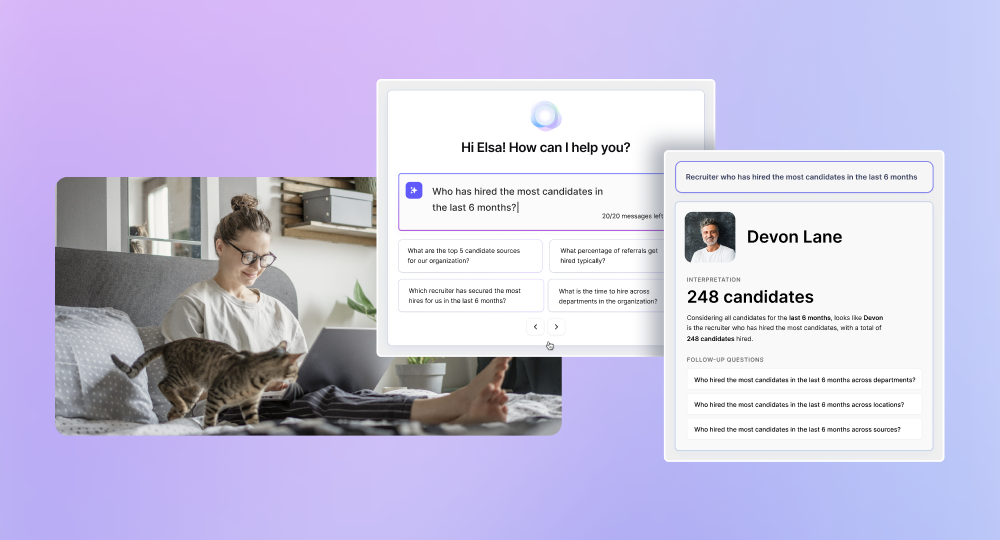
- Conversational analytics and reporting: Users can use conversational queries to get quick recruiting KPIs and data instead of building reports manually. This allows teams to quickly identify bottlenecks, track performance, and answer operational questions without exporting data.
- Automated multi-channel candidate outreach: Run personalized outreach across email and LinkedIn with automated sequences and follow-ups, while tracking all engagement directly within the candidate profile.
Pros:
- Combines ATS, CRM, interview scheduling, note taking, reporting, candidate reviewing, and the full hiring process stages all into one system for recruiters and hiring managers
- Reduces dependency on third-party tools
- Integrations with DocuSign and PandaDoc for automated offer letters with templates
- Automates high-effort tasks like screening and scheduling
- Reporting faster, easier, and more customizable compared to traditional ATS platforms
- Conversational AI analytics for access to quick and specific data insights
Cons:
- Newer platform compared to legacy ATS tools
Pricing:
- Starter plan starts at approximately $399/month
- Higher tiers are custom priced based on company size
Is Kula the right fit for your team?
Kula is a strong option for teams that want to reduce tool fragmentation and improve hiring efficiency. It is particularly useful for organizations that currently rely on multiple tools for sourcing, scheduling, and reporting and want to consolidate those workflows into one system with AI built-in from the ground up. When compared to Ashby, Kula is a lot more customizable, easier to set up, and much more consolidated.
Plus, you don’t have to pay extra for add-on features like AI-note taking or interview scheduling like Ashby, making it a great option for both smaller teams and enterprise scalability.
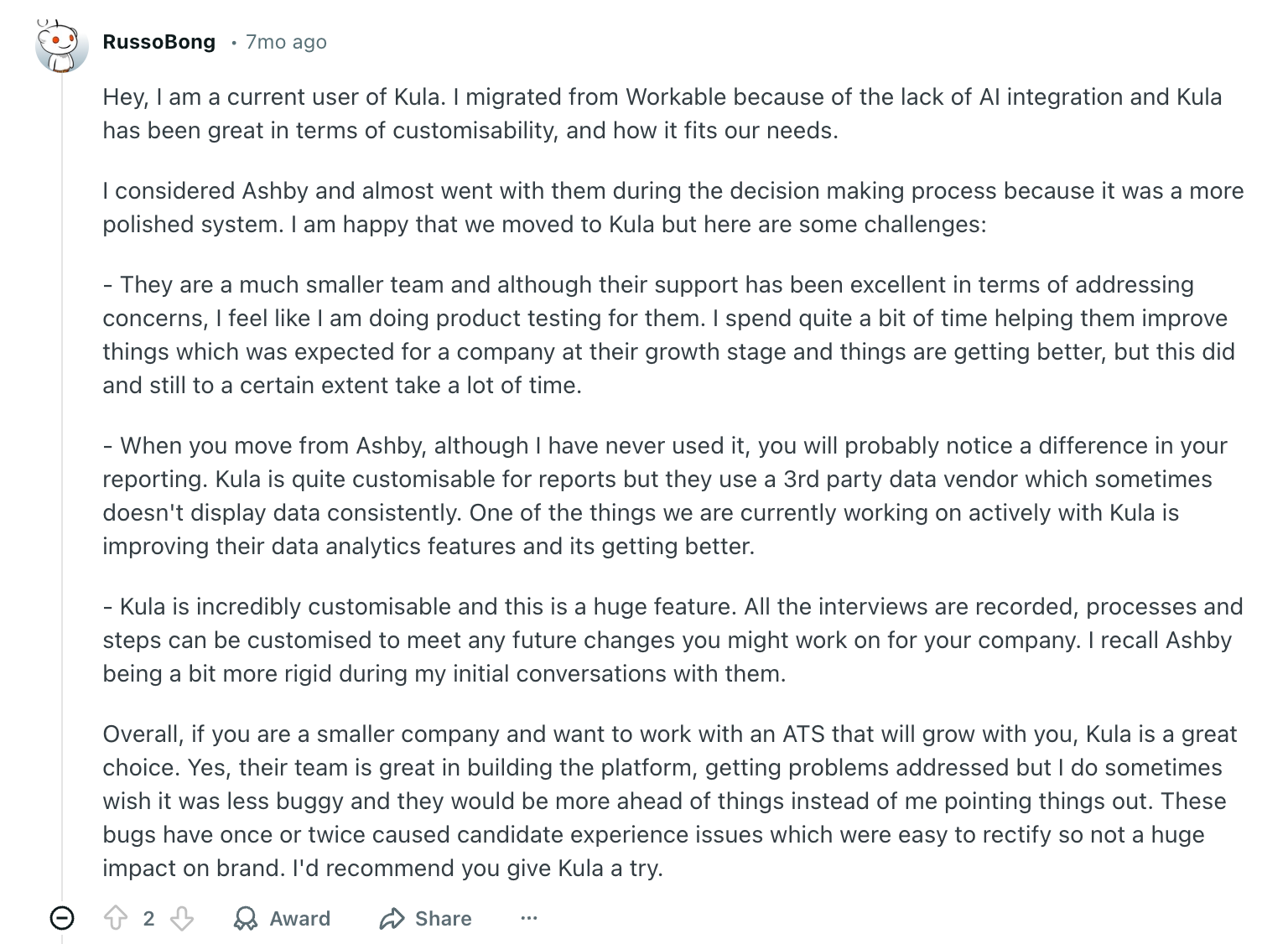
In case you’re considering migrating to Kula from Ashby, here’s what a Reddit user has to say about the process:
4. BambooHR
Best for: Companies that want hiring integrated with HR, payroll, and employee management in one system.
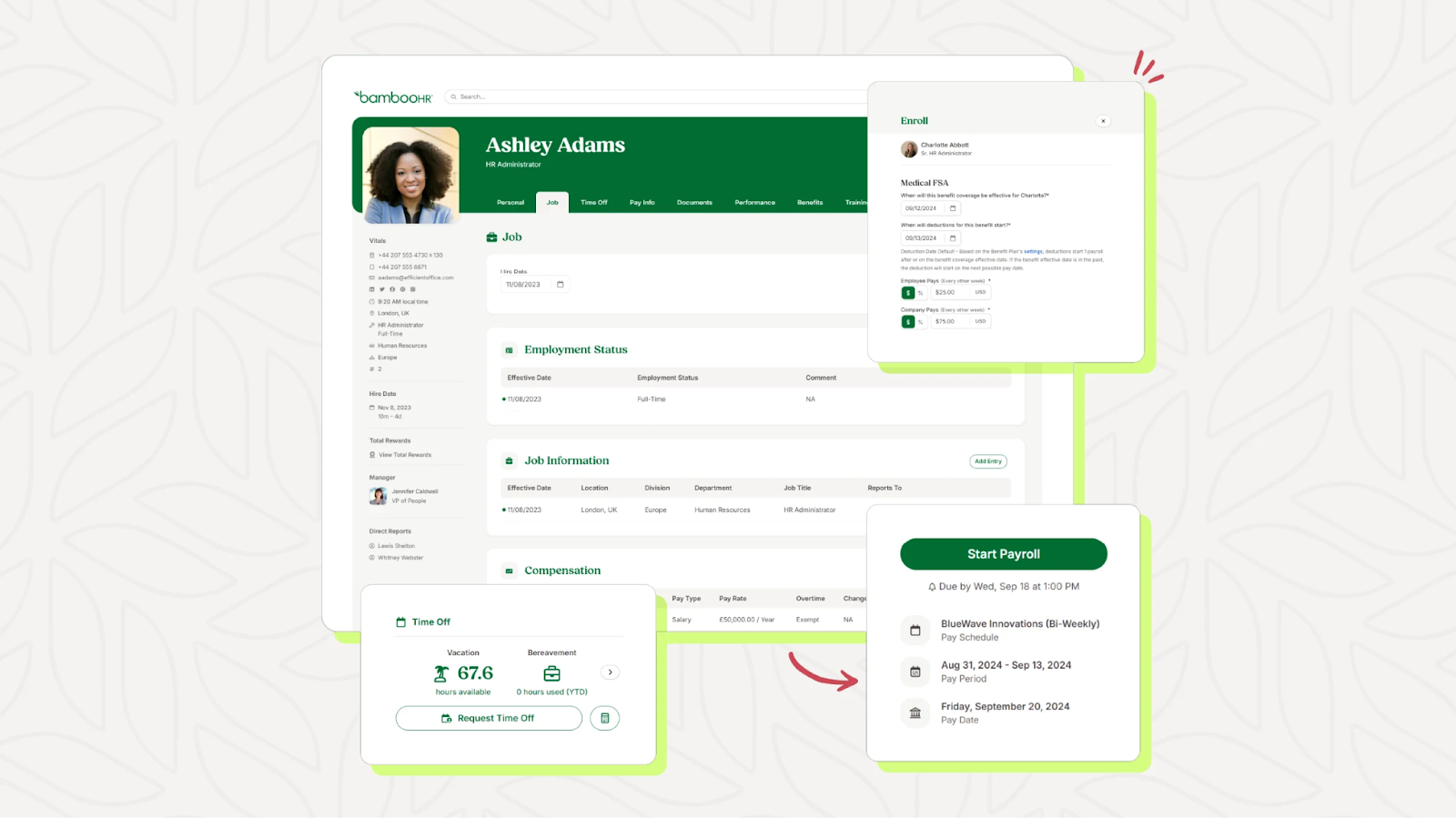
BambooHR is an HR platform with built-in applicant tracking, designed to manage the full employee lifecycle. Instead of focusing deeply on recruiting workflows, it connects hiring with onboarding, employee data, performance management, and compliance.
Its ATS is tightly integrated into the HR system, allowing candidate data to flow directly into employee records once hired. This makes it easier for HR teams to manage transitions without switching tools, but it also means recruiting features are more basic compared to dedicated ATS platforms.
Key features:
- Structured onboarding workflows with checklists, e-signatures, and new hire packets
- Centralized employee database with custom reports and approval workflows
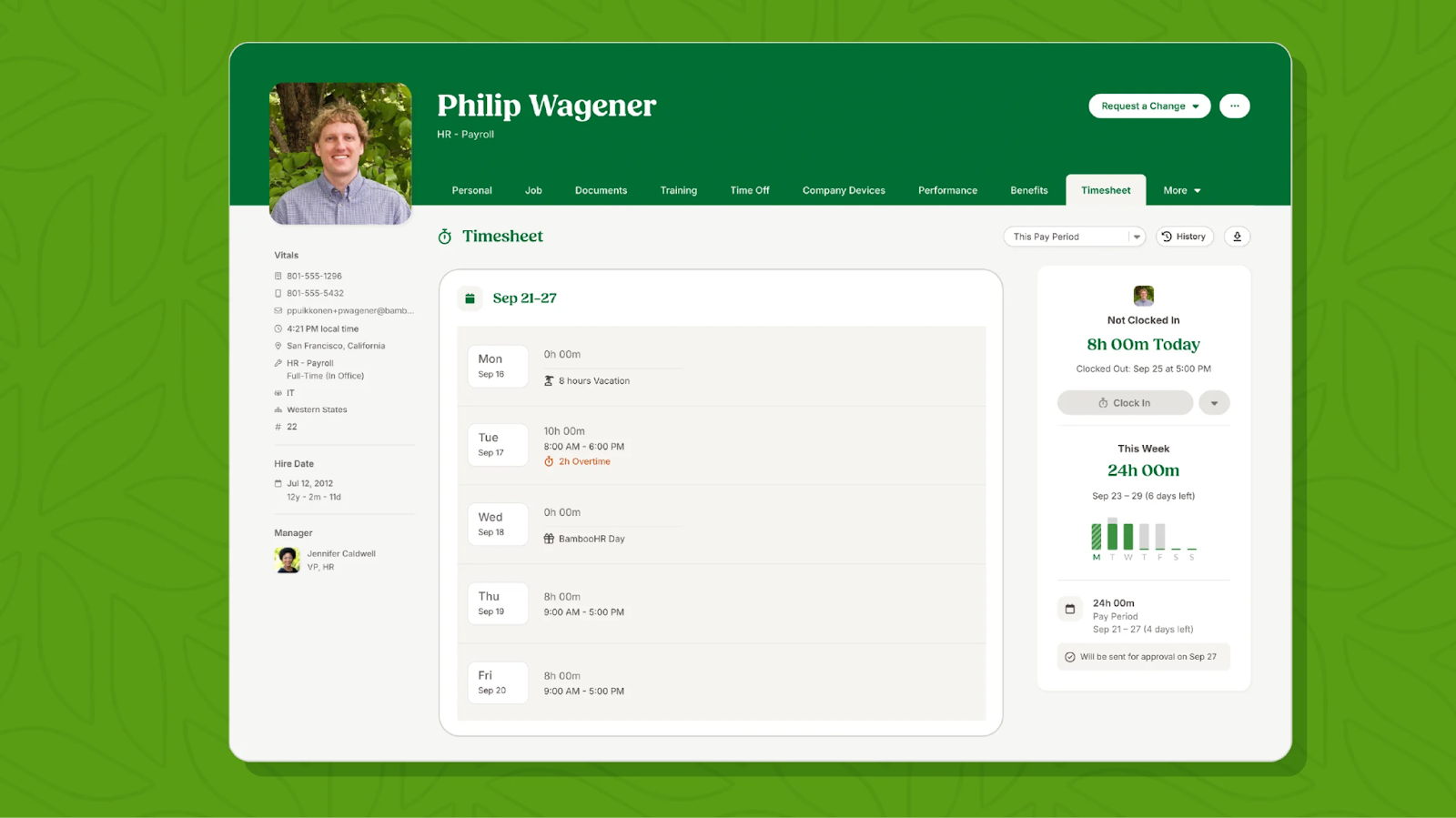
- Performance management with 360° feedback, goal tracking, and review cycles
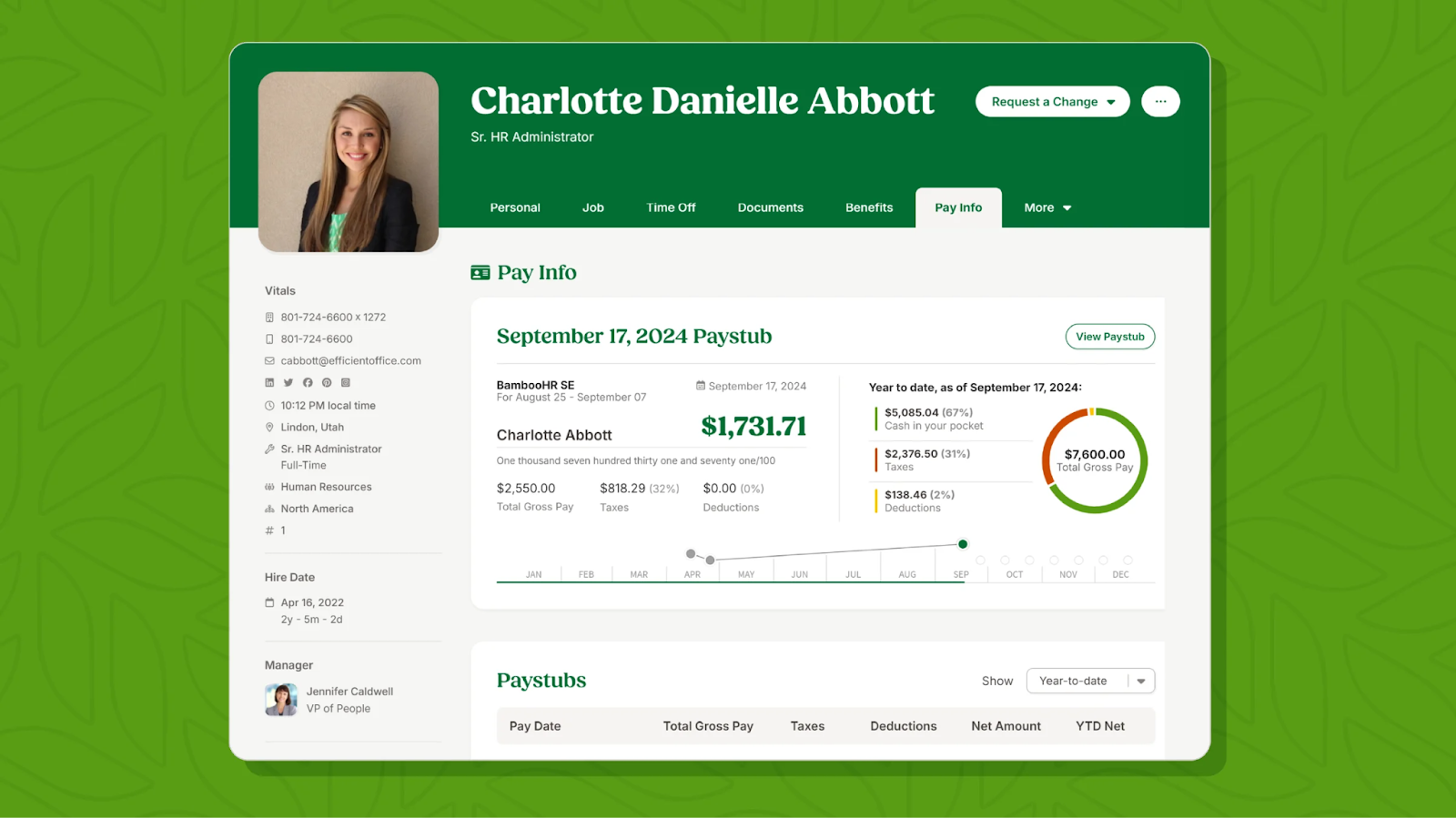
- Compensation management including benchmarking, planning, and pay visualization (higher tiers)
- Employee engagement tools like announcements, communities, and satisfaction tracking
- AI-powered HR insights and reporting dashboards
Pros
- Strong HR capabilities beyond hiring (onboarding, performance, compensation)
- Seamless transition from candidate to employee records
- Easy to use for HR teams without technical complexity
- All employee data centralized in one system
Cons
- ATS functionality is relatively basic
- Limited sourcing and outreach capabilities
- Not ideal for high-volume or complex hiring workflows
- May require additional tools for advanced recruiting
Pricing:
- Core: $10 per employee/month
- Pro: $17 per employee/month
- Elite: $25 per employee/month
- Additional costs for payroll, benefits, and other add-ons
- Small companies may have a minimum monthly cost (~$250)
Is BambooHR the right fit for your team?
Compared to Ashby, BambooHR is more focused on HR operations than recruiting. While it offers a more integrated experience across hiring, onboarding, and employee management, it falls short on advanced sourcing, automation, and pipeline management that Ashby is designed for.
5. SmartRecruiters
Best for: Enterprises that want an all-in-one recruiting platform with built-in automation and global hiring capabilities.
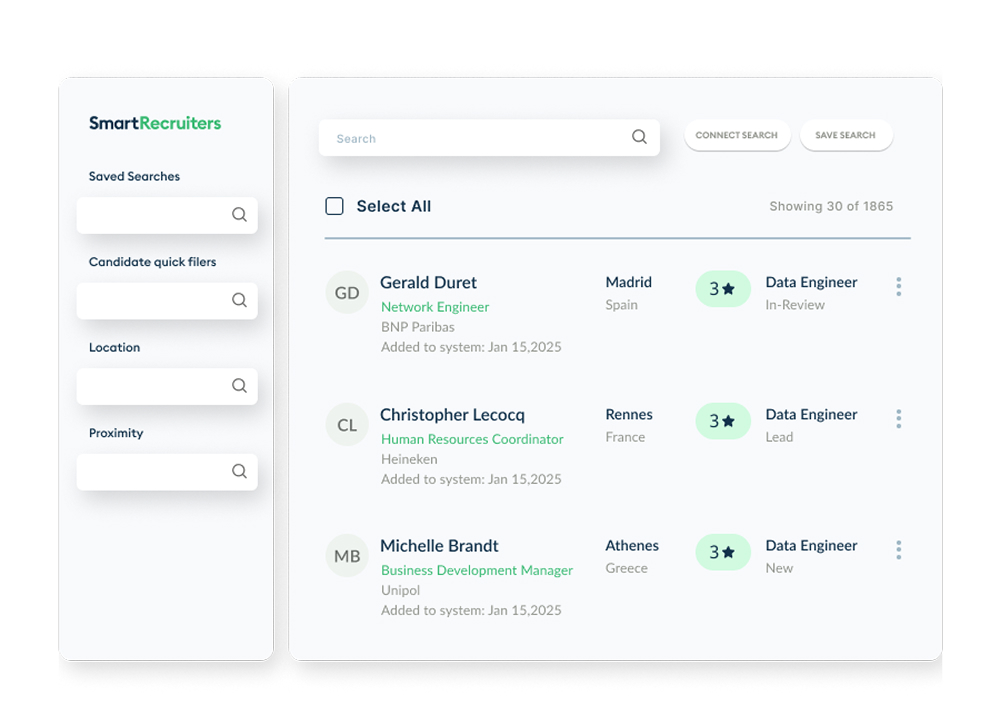
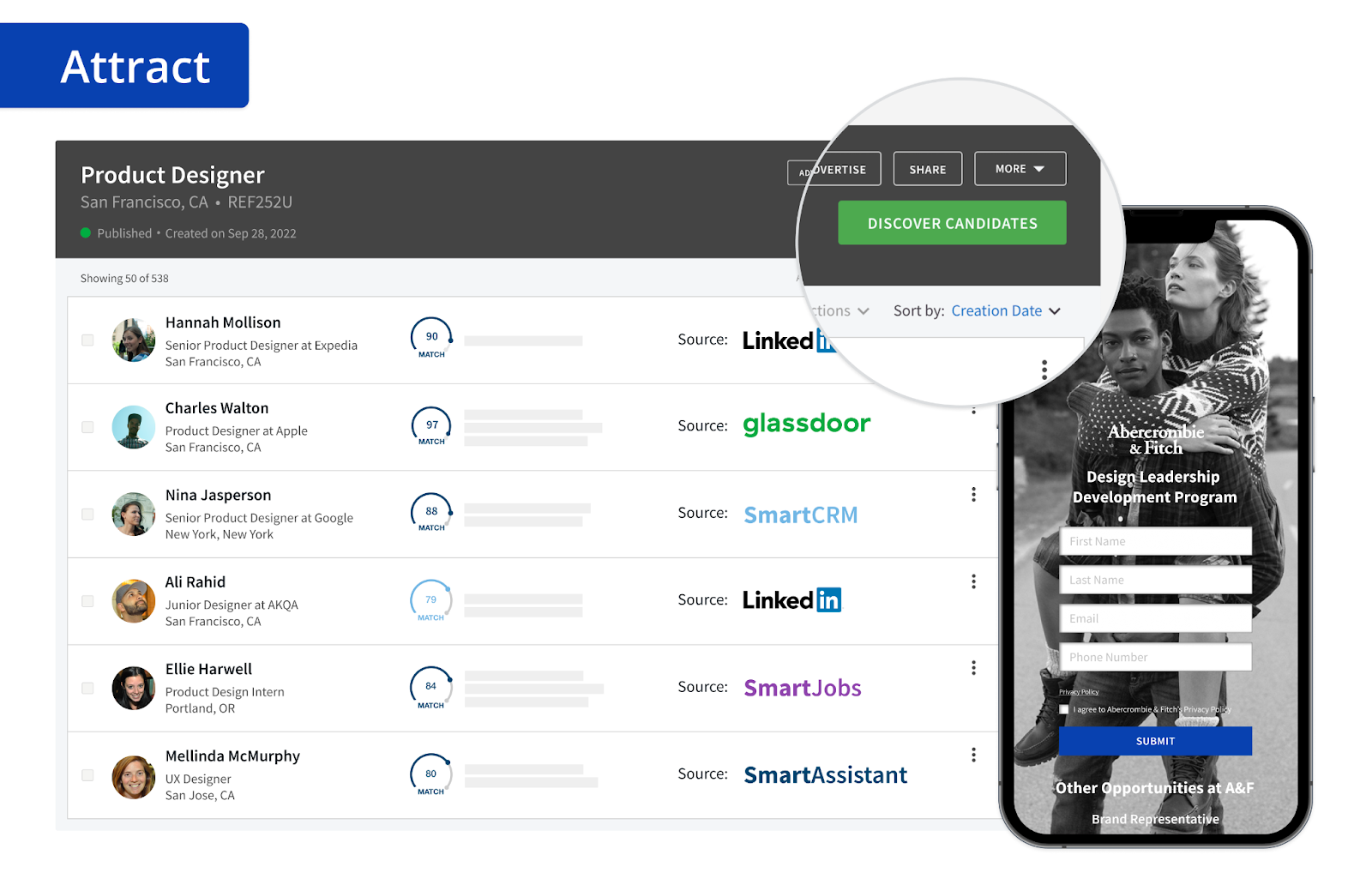
SmartRecruiters is designed as a full talent operating system that covers everything from sourcing to onboarding. Instead of relying on multiple tools, it brings ATS, CRM, messaging, scheduling, and analytics into one platform.
This makes it a strong fit for large teams hiring at scale. Features like automated scheduling, built-in messaging (SMS, WhatsApp), and AI-assisted screening help reduce manual work and speed up hiring. It also includes native onboarding, so new hires can be managed without switching tools.
That said, it’s very much built for enterprise use. Setup can take time, and smaller teams may find it heavier than they need.
Key features:
- All-in-one platform: Combines ATS, CRM, messaging, analytics, and onboarding
- Candidate CRM: Source and nurture candidates within the same system
- Automated scheduling: Reduces coordination effort for interviews
- Built-in messaging: Supports SMS, WhatsApp, and email outreach
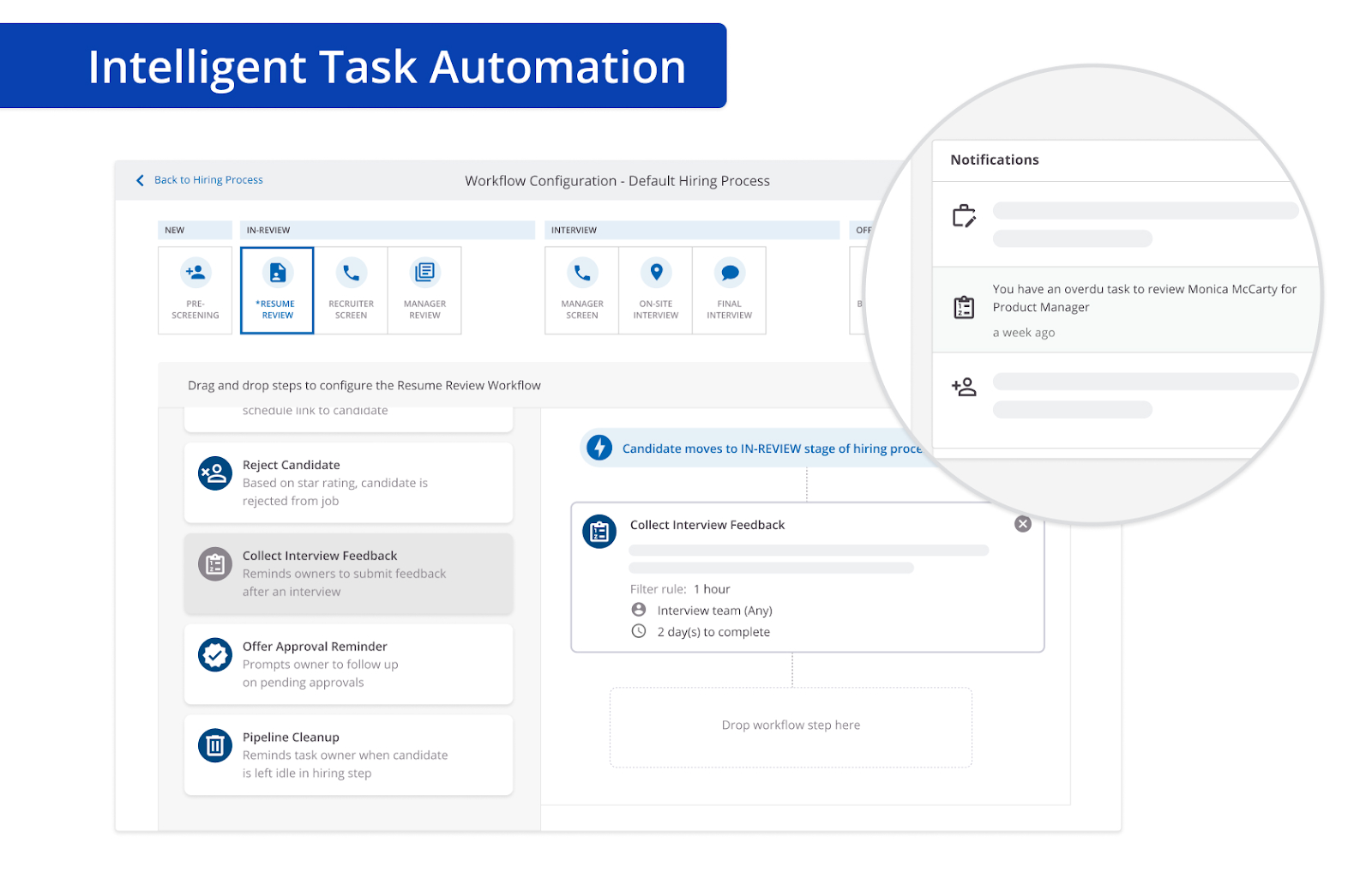
- Analytics dashboards: Tracks hiring performance across stages
Pros
- Strong all-in-one capabilities
- Good for high-volume, global hiring
- Reduces need for multiple tools
Cons
- Complex to implement
- Less suited for smaller teams
- Can feel rigid in some workflows
Pricing:
- Available at request
Is SmartRecruiters the right fit for your team?
SmartRecruiters works well for large, process-heavy teams. But compared to Ashby, it’s less flexible and can feel more rigid, especially for teams that want deeper customization and analytics.
6. Lever
Best for: Mid-sized teams that want a simple ATS with built-in CRM and strong candidate relationship management.
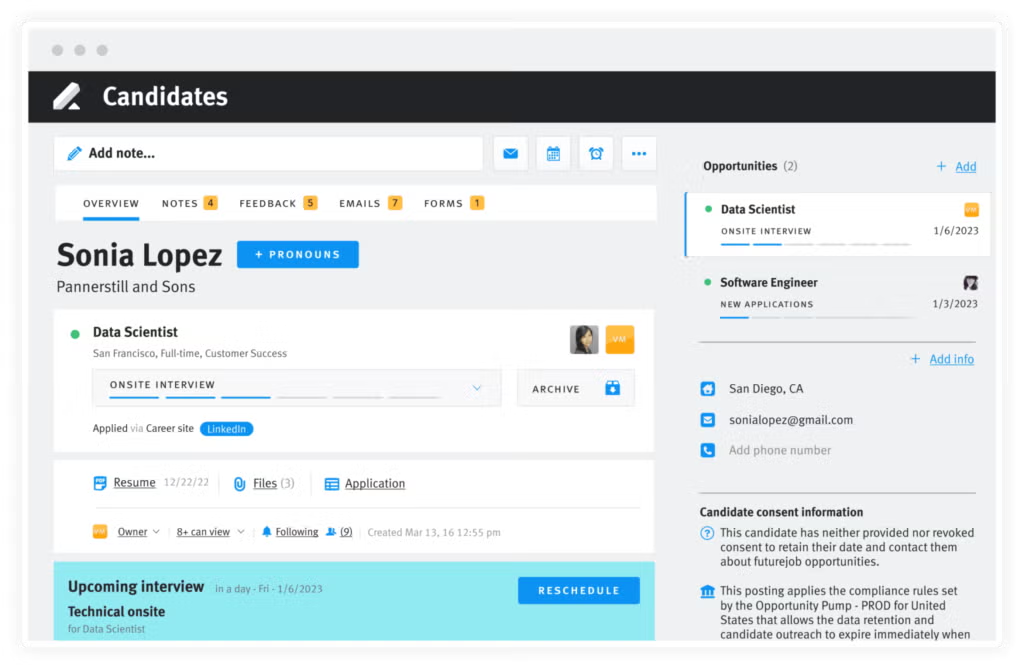
Lever combines ATS and CRM into a single pipeline, which makes it easy to manage both applicants and passive candidates in one place. It’s especially useful for teams that care about nurturing candidates over time, not just filling roles.
The platform is easy to use, and collaboration between recruiters and hiring managers feels smooth. You can track candidates, share feedback, and manage pipelines without much friction.
Where it falls short is depth. As teams grow, reporting and customization can feel limited, especially if you want more control over workflows or data.
Key features:
- Manage sourcing and applicants in one pipeline
- Candidate nurturing and recruitment marketing features for building and engaging long-term talent pipelines
- Collaboration tools for sharing feedback and evaluations easily
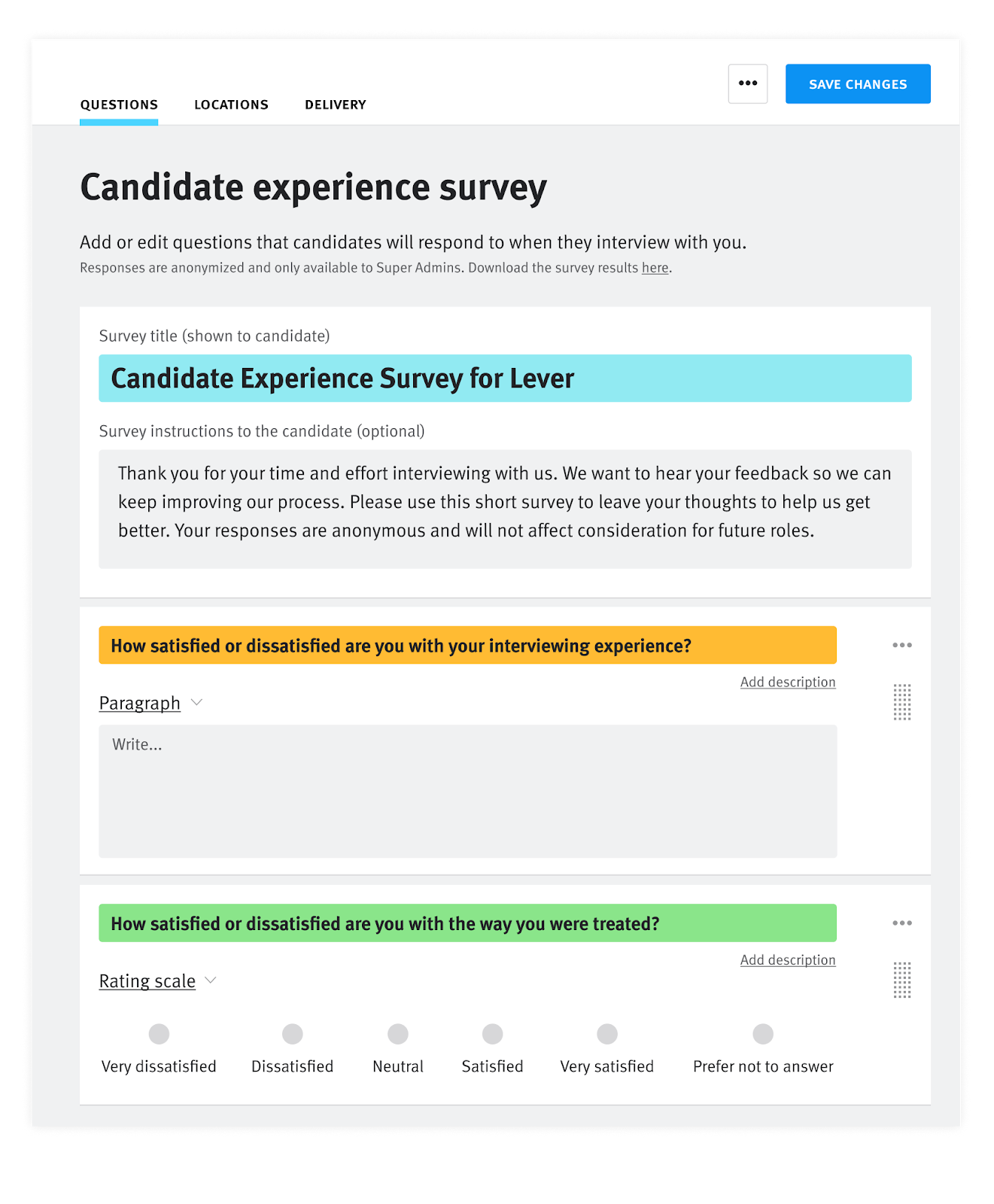
- AI screening to instantly screen candidates with data-backed justification
- AI interview companion with note-taking, feedback collection, and structured interview processes
Pros:
- Easy to use and quick to adopt
- Strong CRM functionality
- Good for growing teams
Cons:
- Limited analytics and reporting
- Less flexible customization
- Can feel restrictive at scale
Pricing:
- Available at request
Is Lever the right fit for your team?
Lever is great for teams that want simplicity and strong candidate engagement. But compared to Ashby, it lacks the depth in analytics and customization needed for more data-driven hiring.
Features like panel scheduling, self-book links, and interviewer availability syncing come ready to use with Lever, without requiring extra add-ons or higher-tier plans.
So if you want robust interview scheduling built into the core ATS, Ashby only offers this as an add-on, unlike other tools like Lever, Workable, and Kula.
👉Check out our guide to Lever alternatives here.
7. Gem
Best for: Teams focused on outbound recruiting, AI sourcing, and consolidating multiple recruiting tools.
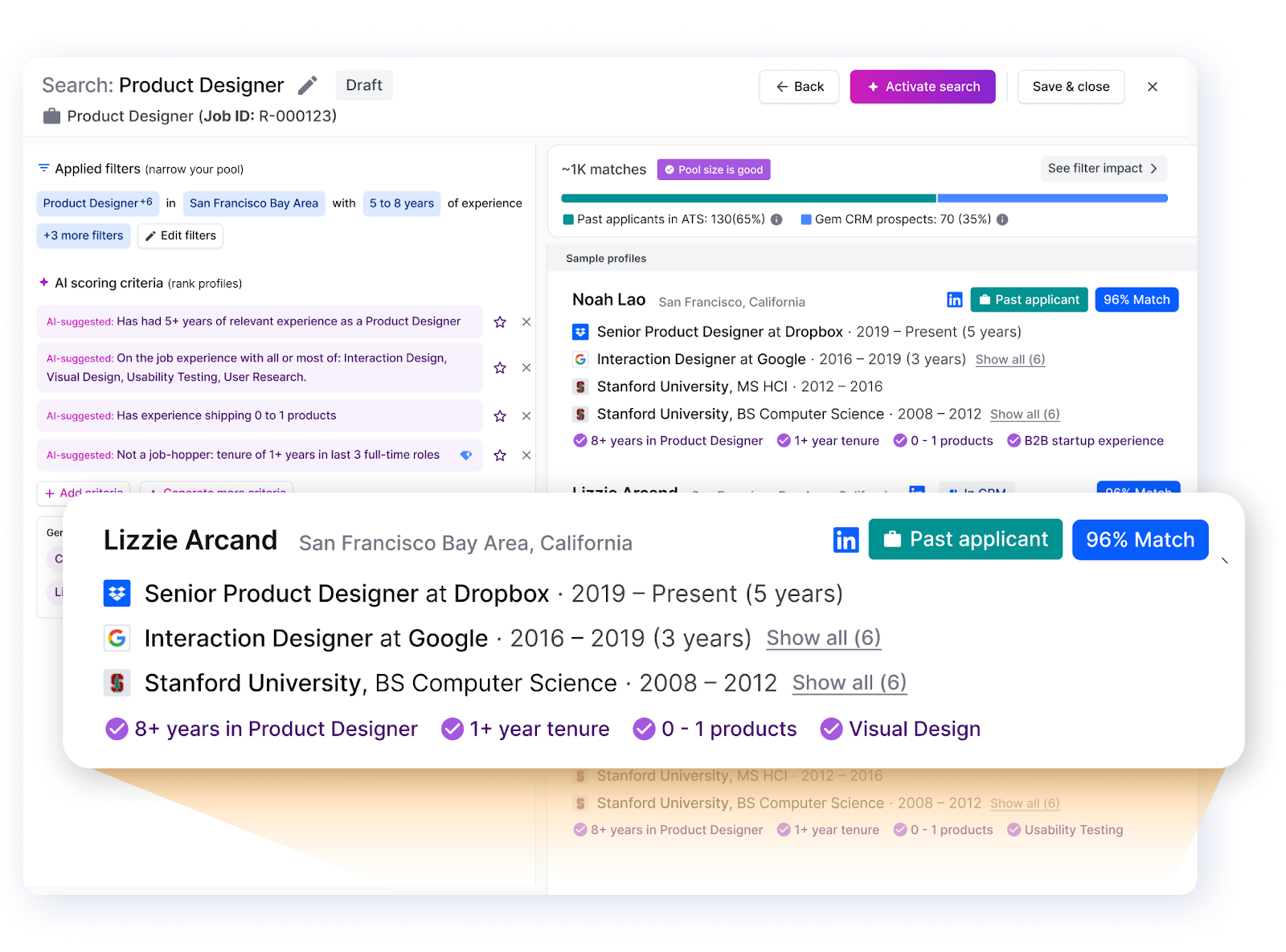
Gem has evolved into an AI-first recruiting platform that combines sourcing, CRM, and ATS into one system. The goal is simple: reduce manual work and replace multiple tools with a single platform.
Its biggest strength is AI. It helps source candidates from large talent pools, rank applicants, and even summarize interview feedback automatically. You can also rediscover past candidates and build talent pipelines through its CRM.
It’s powerful, but not always simple. Teams that don’t fully use its AI features may find it harder to justify.
Key features:
- AI sourcing for finding candidates across large talent databases
- AI screening that ranks and highlights top applicants
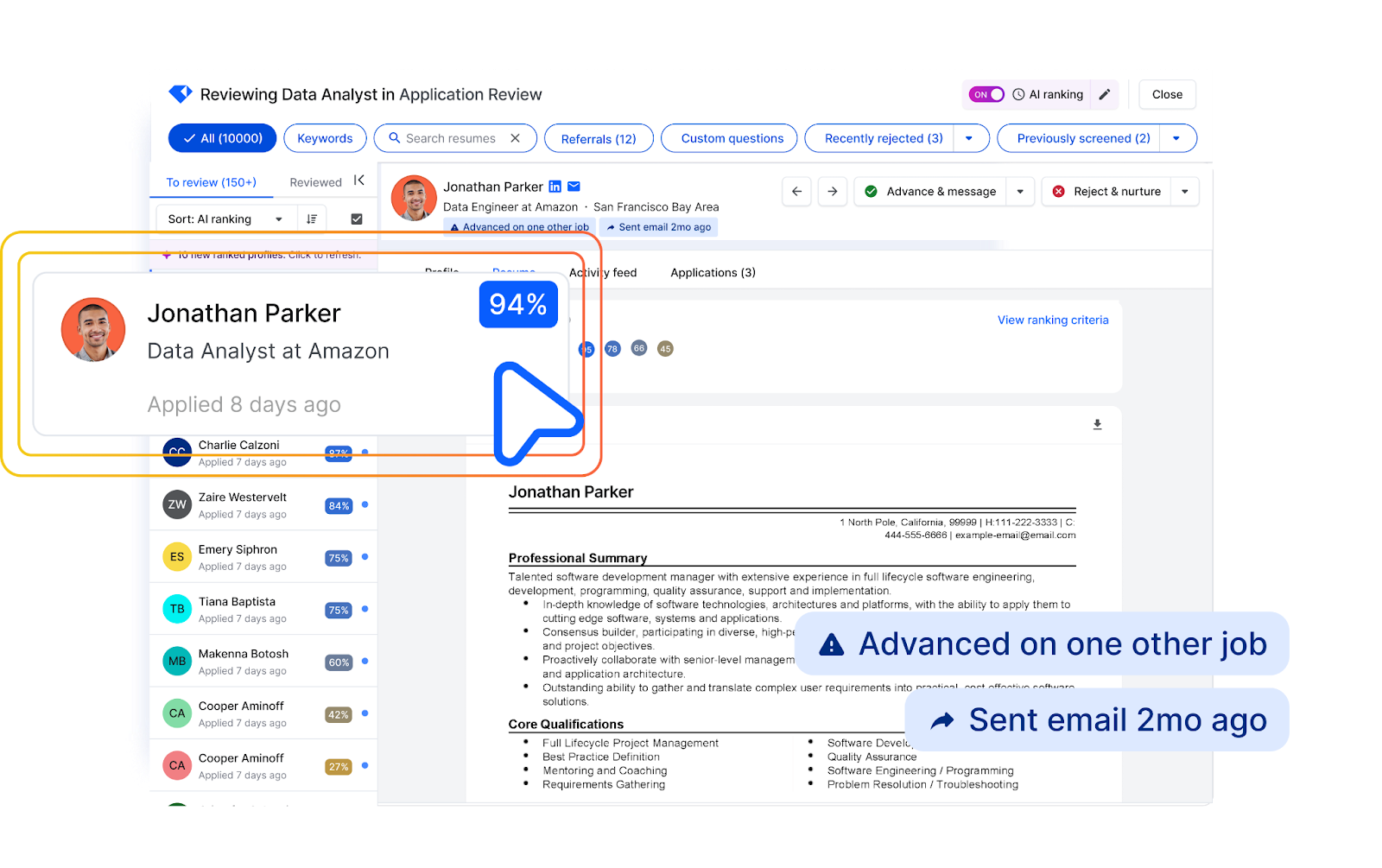
- Fraud detection agent that evaluates risk across multiple signals and flags suspicious applications
- Strong career website builder centered around recruitment marketing
- Automated interview scheduling
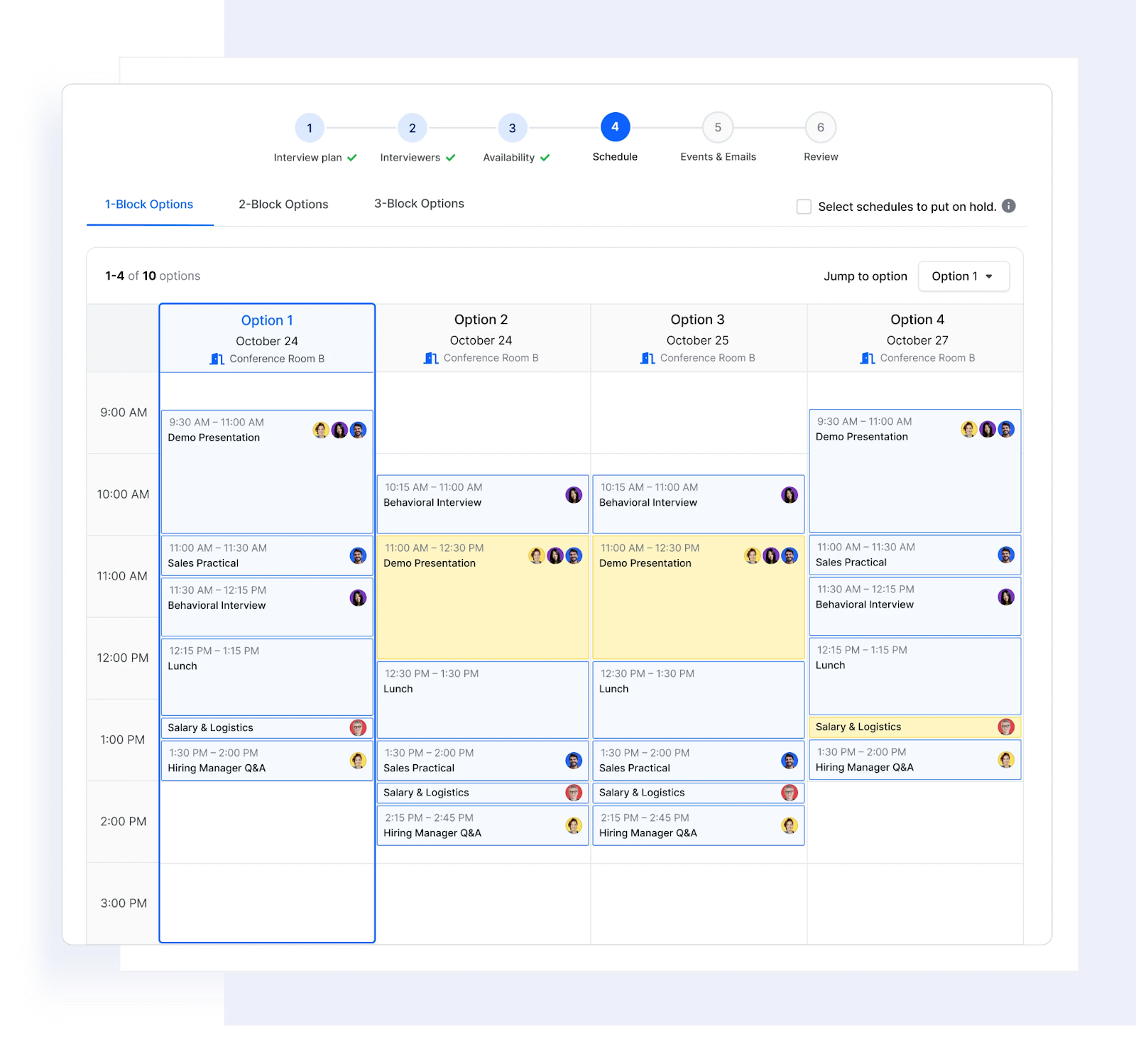
- AI-driven reporting and analytics for deep hiring insights
Pros:
- Strong AI capabilities
- Great for outbound and sourcing-heavy teams
- Reduces tool sprawl
Cons:
- Learning curve for new users
- Best value comes only if you use AI heavily
- Less focused on structured hiring workflows
Pricing:
- Starts at $135/month; custom pricing for larger teams
Is Gem the right fit for your team?
Gem is a strong choice for AI-driven sourcing and automation. But compared to Ashby, it’s more sourcing-focused, while Ashby offers better control over workflows and deeper analytics. If sourcing is a major bottleneck for your team, Gem offers many AI-driven sourcing features to speed up and streamline your candidate sourcing process and offers many integrations.
Bottom line: How to choose the best Ashby alternative for your team?
The right alternative to Ashby really comes down to how your team hires—and what you want to optimize for. Some tools are built for structured workflows, others for sourcing, and some for scale.
One thing most competitors do well is guide this decision. For example, platforms like Lever even suggest evaluating tools using a checklist—looking at things like reporting depth, reliance on add-ons, and implementation speed. That’s a useful way to pressure-test your options and avoid picking a tool that looks good on paper but doesn’t fit your workflow.
ATS pricing will also be a big factor behind your decision. So you’ll want to think about the ROI and what kind of features you need versus want.
Here’s a quick way to think about it:
- Greenhouse: Best for structured hiring and compliance → strong process control, but higher cost and reliance on integrations
- SmartRecruiters: Best for enterprise, all-in-one hiring → reduces tool sprawl, but requires time and resources to implement
- Lever: Best for simplicity and candidate relationships → easy to adopt, but limited analytics as you scale
- Gem: Best for sourcing-heavy and outbound recruiting → strong AI and automation, but less focused on structured workflows
- Ashby: Best for data-driven teams → powerful analytics and customization, but can feel complex for smaller teams
Ultimately, the best tool is the one that fits how your team actually works—not just the one with the most features.
That’s where Kula stands out. It brings together sourcing, CRM, and ATS in a way that’s flexible, easy to use, and built for modern recruiting teams—without the complexity or heavy setup.
If you want to see how it compares in practice, it’s worth exploring it firsthand.
👉 Book a demo with Kula to see how these features come together in a real hiring workflow.